Visit the following website and donwload CupCarbon Klines:
CupCarbon Klines
You unzip the file cupcarbon_klines.zip
You will get the following files:
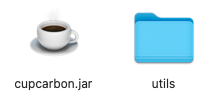
Based on your system you will find additional files.
For Windows,
You will find a directory win and the file cupcarbon_win.bat. Double click on this file (cupcarbon_win) to run CupCarbon.
For MacOS M (aarch64)
You will find a directory macm and the file cupcarbon_macm.command. Double click on this file (cupcarbon_macm) to run CupCarbon.
For MacOS x64
You will find a directory macx and the file cupcarbon_macx.command. Double click on this file (cupcarbon_macx) to run CupCarbon.
For Linux ARM
You will find a directory linuxm. To run CupCarbon, you need to open a terminal (console) and move into the unziped directory where the cupcarbon.jar file is located and execute the following command:
java --module-path linuxm/lib --add-modules javafx.controls,javafx.fxml,javafx.swing -jar cupcarbon.jar
For Linux x64
You will find a directory linuxx. To run CupCarbon, you need to open a terminal (console) and move into the unziped directory where the cupcarbon.jar file is located and execute the following command:
java --module-path linuxx/lib --add-modules javafx.controls,javafx.fxml,javafx.swing -jar cupcarbon.jar
If CupCarbon starts, then you are lucky, you can continue to use it normally
Otherwise, it means you have to check the version of Java
CupCarbon Klines works with the version 23 (23.0.xx).
Therefore, you must install the version 23 of java in your system
To do that, visit the following web page: (www.java.com).
Once done, you can follow the same steps presented above.
If CupCarbon does not start then you must check the version of java installed in your system, you can use the following command:
java -version
Verify that the version is 23.0.xx
In case where the version is not 23 then depending on your system you should either change the current default version to 23 or to install the jre directly from the website of oracle:
https://www.oracle.com/java/technologies/downloads/#java8-mac
Go to the section: Java SE Development Kit 8u391
Choose your platform and download the installer.
You can install any version of Python you want.
To verify if Python is installed you can use the following command:
python -V
Python is completely independent from CupCarbon, once installed, you have to use the system command used to execute Python programs.
Basically this command can by python or python3
python3
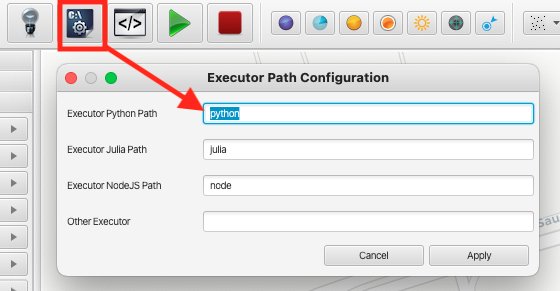
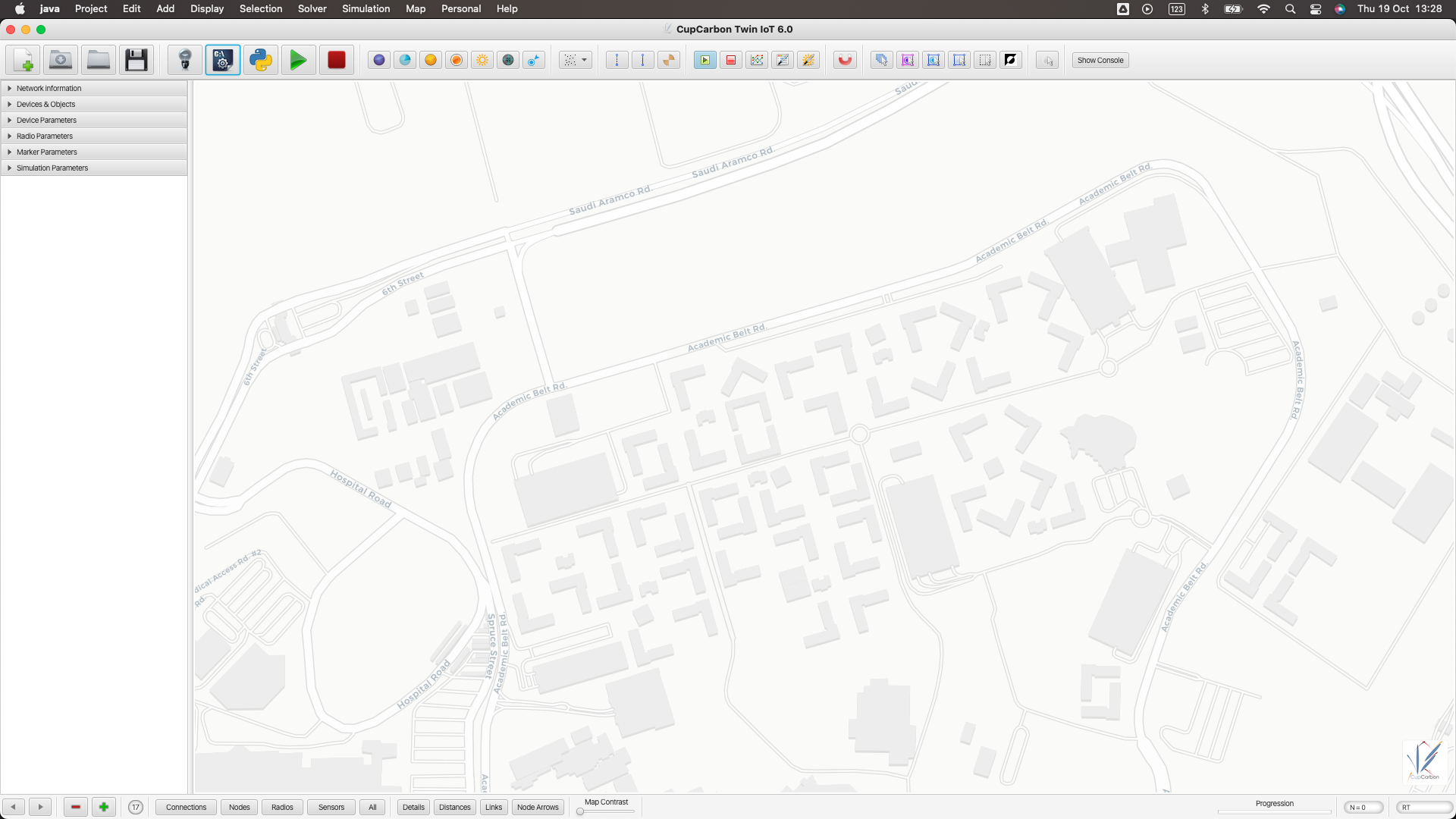
It can be a complete path where the command is situated in your system. You can add this commande (or path) in the Executor Path Configuration window as shown by the following figures:
Now you can use CupCarbon, enjoy!
To interace with CupCarbon from your Python codes, you can send commands to CupCarbon and you can get commands from CupCarbon as well.
To send commands from your code Python to CupCarbon, use the command print of Python normally. The message of the print will be considered as a CupCarbon command. You need to flush each command to send it directly, otherwise, all the commands will be sent once at the end of the program.
In a nutshell:
To send the CupCarbon comands using the command print we use:
print("CupCarbon command", flush=True)
The different commands that you can send to CupCarbon are given as follows:
1. print
To print any message on the executing device, use the command print as follows:
print("print Hellow World!", flush=True)
We can use the command print by creating the cup function as follows:
def cup(com):
print(com, flush=True)
cup("print Hellow World!")
We can display alternatively Hello and World! each second as follows:
import time
def cup(com):
print(com, flush=True)
while True:
cup("print Hellow ")
time.sleep(1)
cup("print World!")
time.sleep(1)
2. mark/unmark
To mark or unmark the executing device, use the commande mark or unmark as follows:
print("mark", flush=True)
print("unmark", flush=True)
3. move
To move the executing device to a given GPS location, use the move command as follows:
print("move 50.002 21.344", flush=True)
4. To get any information about the executing device sugh as, its id, its name and its location, use the following commands:
print("getid", flush=True)
id = input()
print("getname", flush=True)
name = input()
print("getxy", flush=True)
location = input()
print("getx", flush=True)
x = input()
print("gety", flush=True)
y = input()
To create IoT Projects using the MQTT protocol, just install MQTT for Python.
You can use the following command:
pip install paho-mqtt
or
pip3 install paho-mqtt
Many tutorials exists on the web. We suggest the following websites
https://pypi.org/project/paho-mqtt/
https://www.emqx.com/en/blog/how-to-use-mqtt-in-python
It is possible to use MQTT in different real devices (Android device, iOS, ESP32, Raspberry, ...) to communicate with CupCarbon devices.
You can install Mosquitto to use MQTT from the terminal of your system.
https://mosquitto.org/download/
Two samples (Pbulisher and Subscriber) are given in CupCarbon that can be used directly. Don't forget to set the value of the broker and the topics if you are using these codes.